> ## Documentation Index
> Fetch the complete documentation index at: https://docs.dqlabs.ai/llms.txt
> Use this file to discover all available pages before exploring further.
# Remediation
> How Prizm's Remediation settings configure exception writing, metadata capture, and external Spark compute for remediation workflows.
## Overview
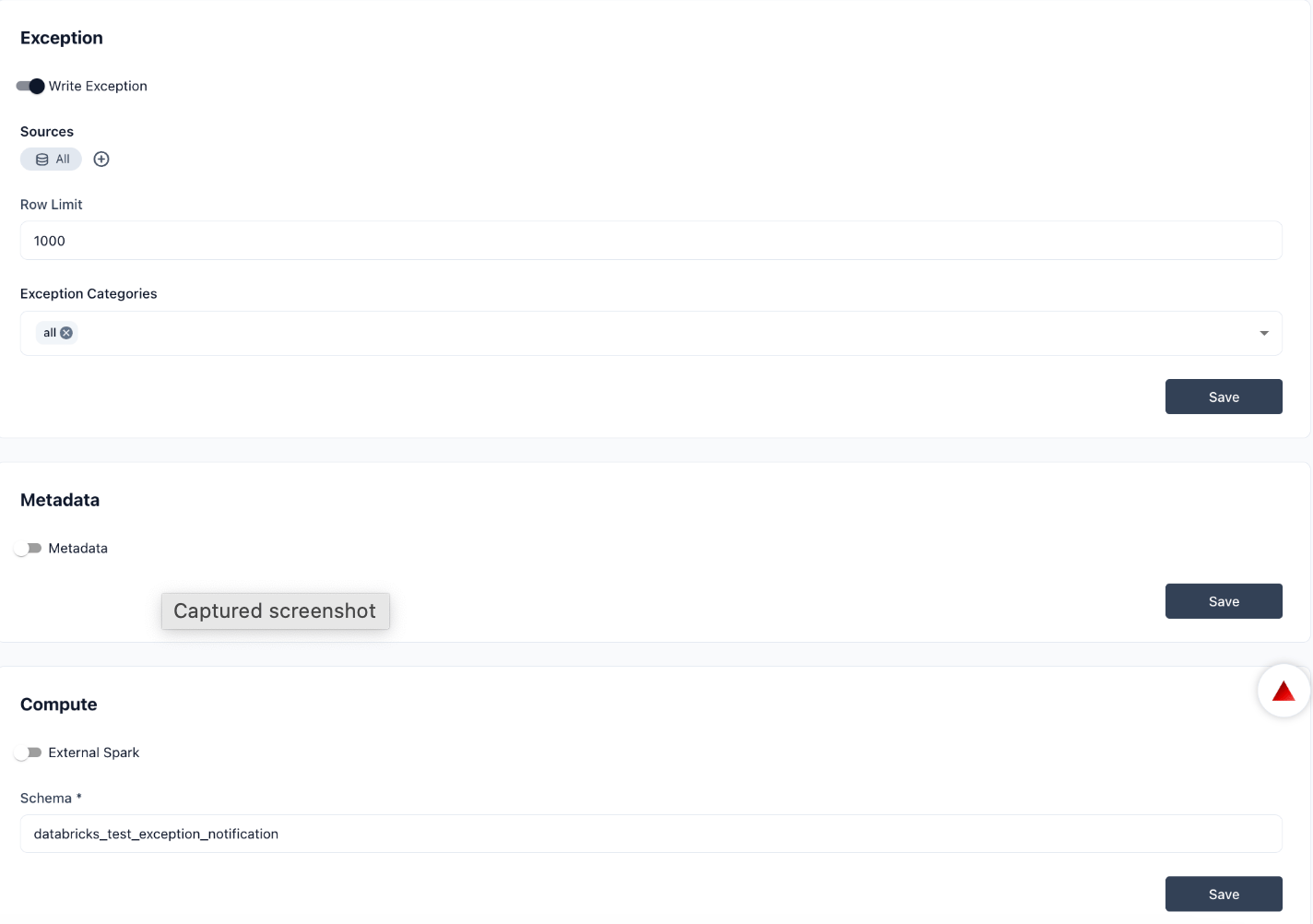
The **Remediation** section in Settings configures how Prizm handles exception writing, metadata capture, and compute resources for remediation workflows. It is organized into three sub-sections: Exception, Metadata, and Compute.
Each sub-section has an enable/disable toggle. Settings fields appear only when the toggle is turned on.
Navigate to **Settings → Remediation** to access this section.
***
## Exception
The **Write Exception** toggle enables or disables exception writing for the organization. When enabled, the following configuration fields appear:
| Field | Description |
| ------------------------ | ------------------------------------------------------------------------------------------------------------------------------------------------------ |
| **Sources** | The data sources Prizm writes exceptions for. Defaults to **All** — covers all connected sources. Use **Add Sources** to restrict to specific sources. |
| **Row Limit** | Optional cap on the number of rows written per exception event. Leave blank for no limit. |
| **Exception Categories** | The issue categories that trigger exception writes. Defaults to **all** categories. |
Click **Save** after making changes.
***
## Metadata
The **Metadata** toggle controls whether Prizm captures and stores metadata during remediation runs. Enable this setting to retain metadata context alongside exception records — useful for auditing and root-cause investigation.
Click **Save** after toggling.
***
## Compute
The **External Spark** toggle enables external Spark compute for remediation workflows. When enabled, the Schema field appears:
| Field | Description |
| ------------ | ------------------------------------------------------------------------------------------------------------------------ |
| **Schema**\* | The schema name in your external Spark environment where Prizm writes intermediate results and exception data. Required. |
Click **Save** after entering the schema name.
 The External Spark schema must exist in your Spark environment before configuring it here. Prizm does not create the schema automatically.