
Overview
The Command Center is the organization-wide operations area of Prizm. It gives administrators and data engineers one place to see what Prizm is running, change when it runs, investigate what happened, and move data in and out in bulk.Navigating there
Open Command Center from the user menu (the profile icon at the top right). The left-hand sidebar has four sections: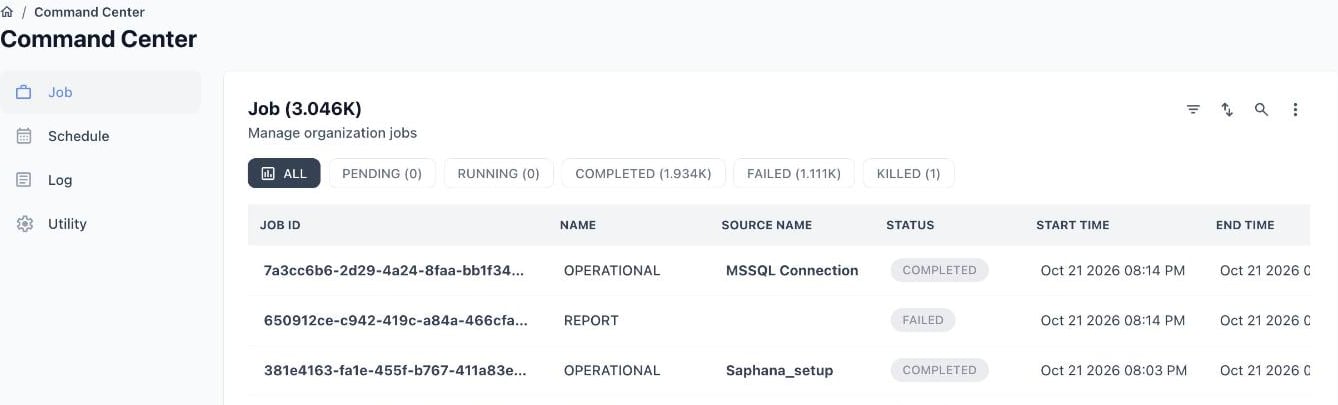
The Command Center sidebar with the Job page open
What each section does
How the sections connect
The sections are linked, so you can move from a symptom to its cause without searching:- A row in Schedule has Run now, View Job Log, and Audit Log actions that take you to the matching job or log entries.
- A row in Job has a Job Log action that opens the Log → Audit view already filtered to that job.
- Anything you import or export through Utility is recorded in its own run history on the same page.
Permissions
Access to each section is controlled by role-based permissions. See Role-Based Access Control for how to assign them.Related pages
Jobs
Monitor and run jobs across the organization
Schedules
Manage standard and autonomous schedules
Utility: Import and Export
Bulk-move data in and out of Prizm
Audit & Activity Logging
Review what happened across the platform