
This release adds new BigQuery, Salesforce Data Cloud, and Azure Synapse connectors, ADF pipeline observability, Collibra and Atlan catalog integrations, SAP HANA enhancements, Entra service principal authentication for Databricks, versioning with approval controls, global asset search, metric score distribution by segment, exception escalation and report templates, AI issue summaries, and Claude publishing through MCP.
Features
This section summarizes the features delivered in the October 2026 release. Each item links to the main documentation for full details.Connectors
BigQuery
Prizm now connects to Google BigQuery, with catalog, metrics, and lineage from job logs.- Catalog of datasets, tables, views, and materialized views, with deleted assets marked as deprecated
- Structural, profile, and operational metrics, including schema change detection
- Sampling by row count or percentage, and custom thresholds
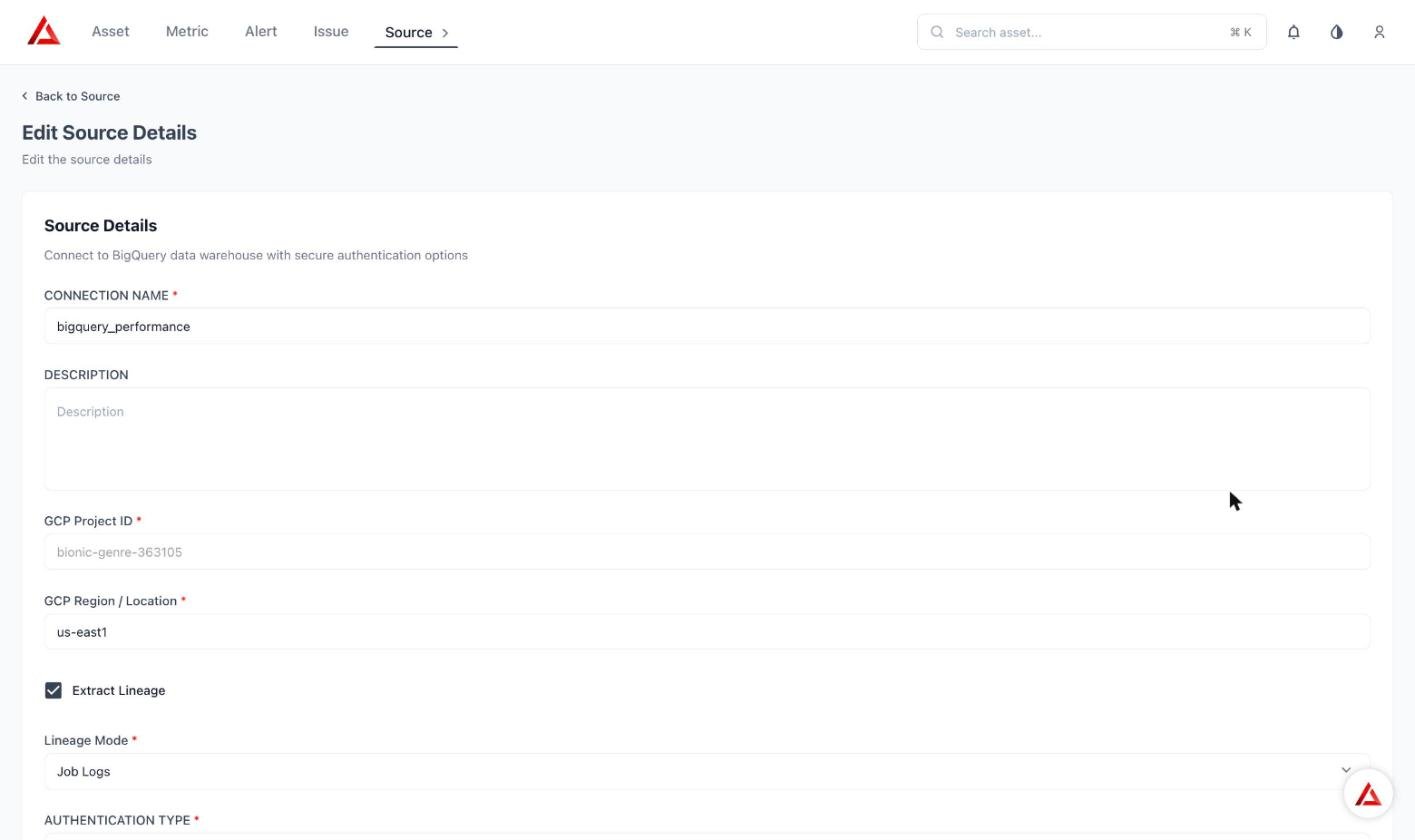
BigQuery source setup
Salesforce Data Cloud
Prizm now catalogs Data Spaces, Data Lake Objects, Data Model Objects, and reports and dashboards, with report and dashboard lineage and vault-based authentication.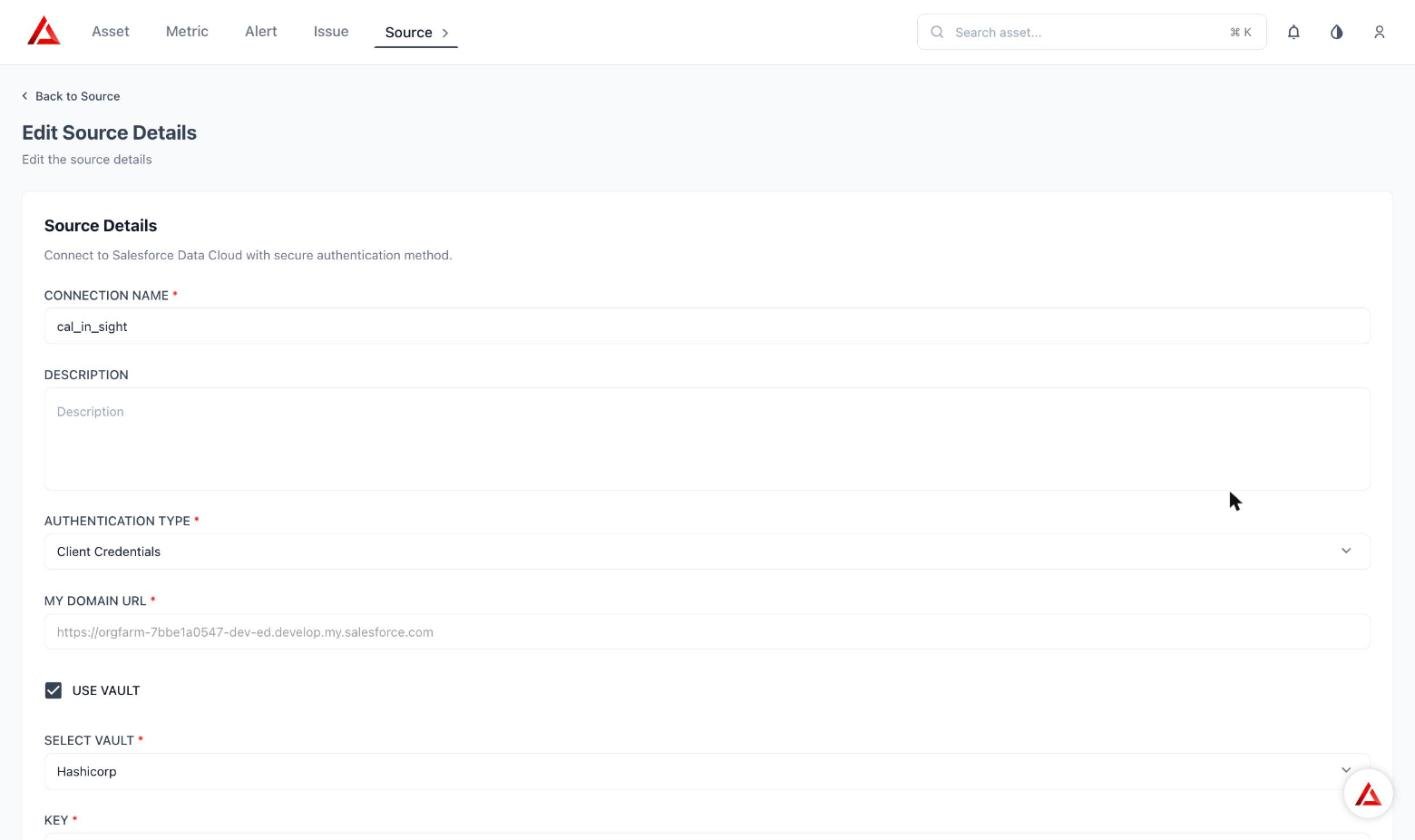
Salesforce Data Cloud source setup
Azure Synapse
Prizm now builds a catalog of Synapse assets: Dedicated SQL pool tables and views, and Serverless external tables such as CSV. Sampling, incremental, and full load modes are supported. Synapse pipelines are planned for a later release.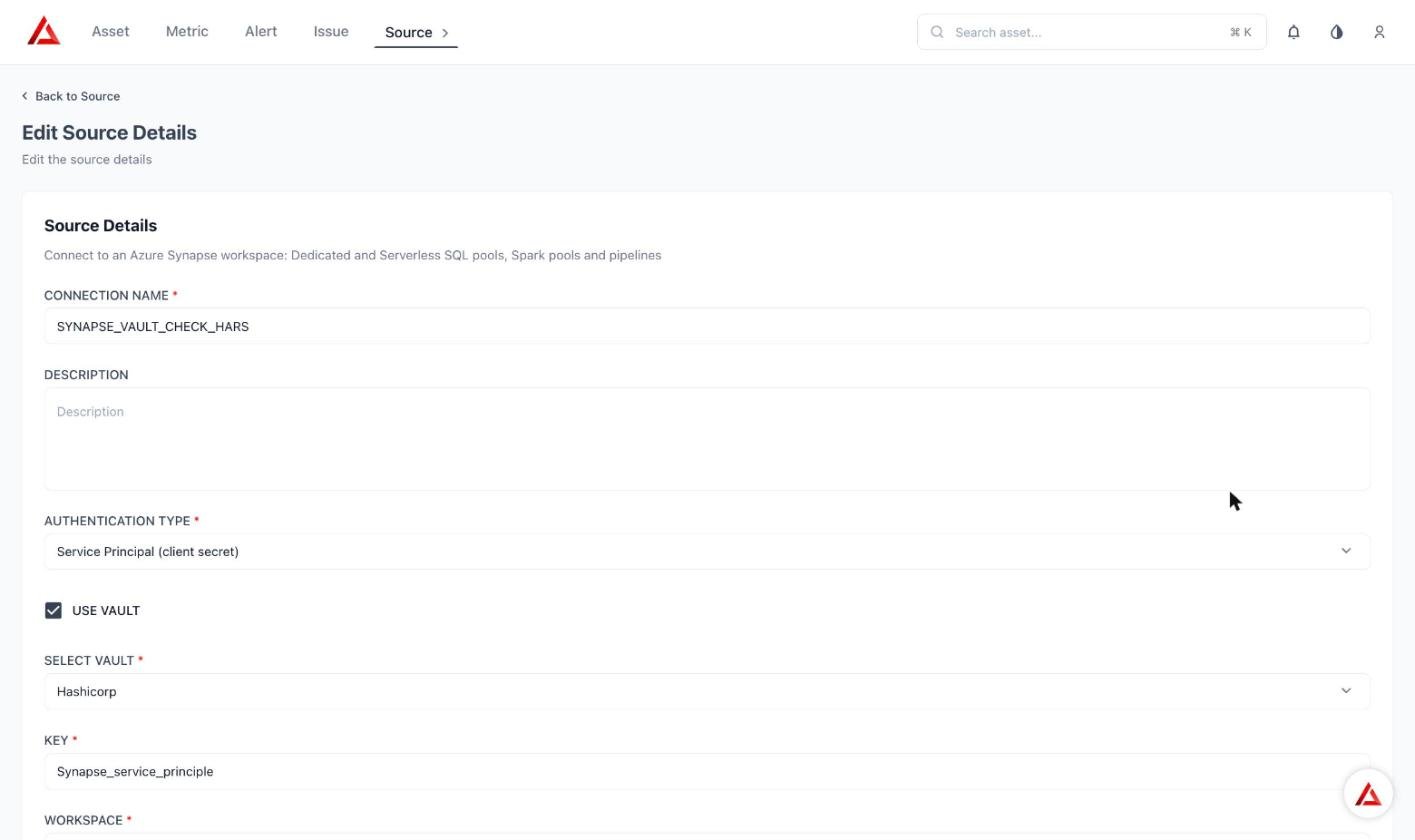
Synapse source setup
Azure Data Factory (ADF)
The ADF connector observes pipelines and activities, with lineage, metrics with automatic and manual thresholds, circuit breaker, and webhook-based monitoring.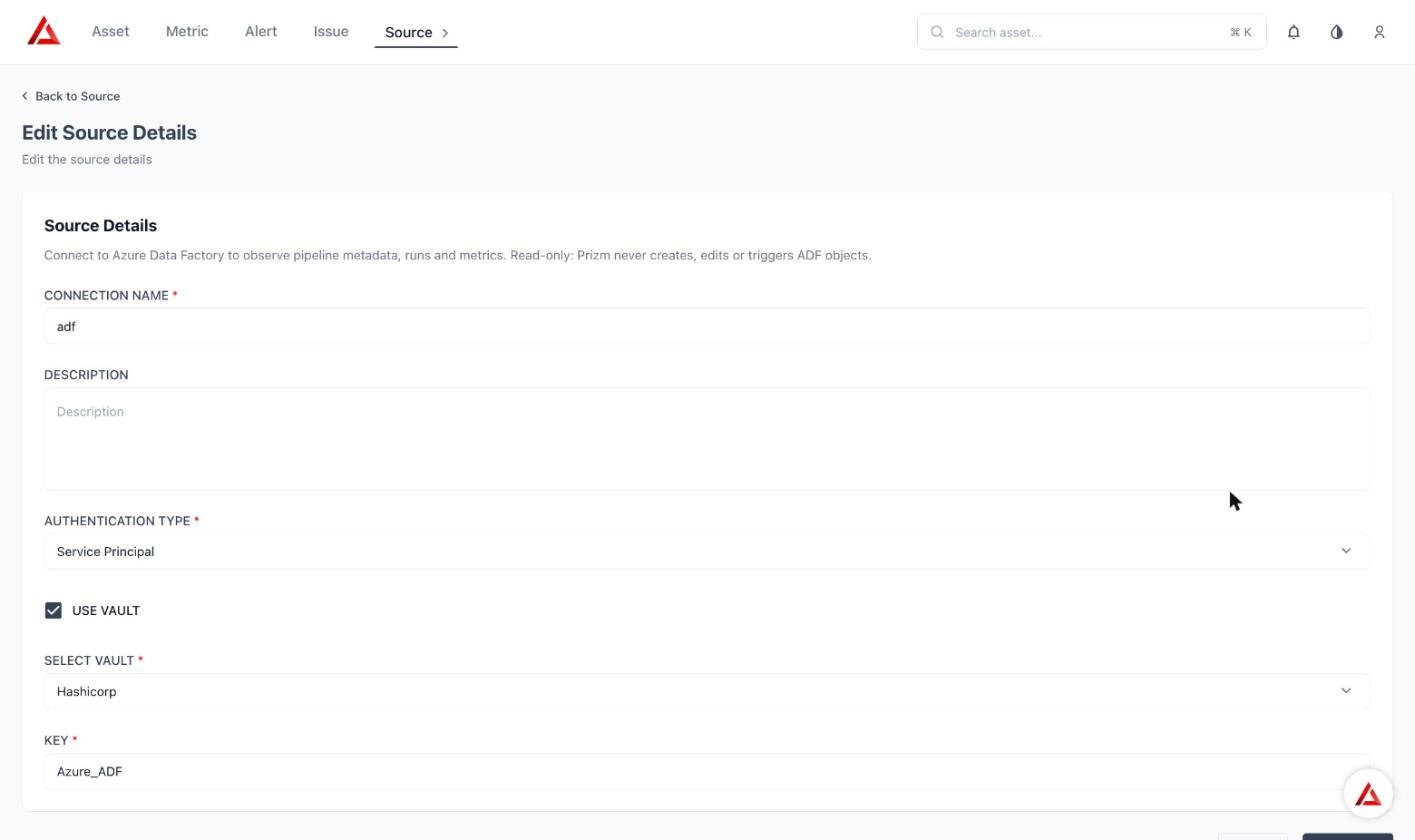
ADF source setup
SAP HANA
Alert clustering, standalone exception records on the exception page, and primary key handling are improved.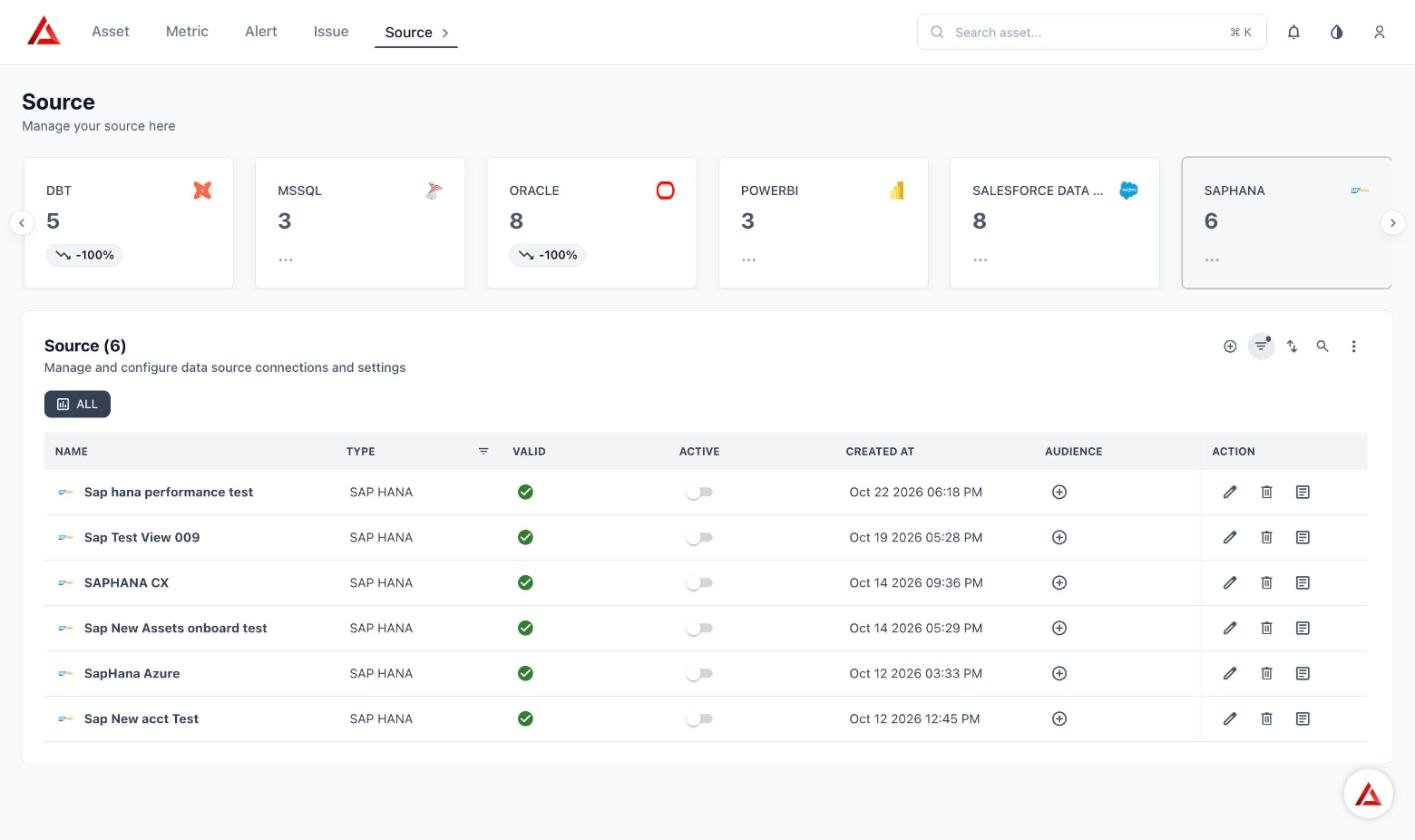
SAP HANA sources
Sigma Computing
Workbooks can now be selected in the asset filter, Data Model appears as an asset type, metrics update after workspace configuration, and changes are tracked through versioning. Sigma connector documentationDatabricks OAuth with Entra service principal Private
Prizm can authenticate to the Databricks API with Microsoft Entra service principal credentials, so you no longer need to create and rotate a static OAuth secret in the Databricks UI. Databricks connector documentation · ADLS connector documentationCatalog integrations
Collibra
Push asset and attribute scores, measure results, rule SQL, and AI-generated rule descriptions to Collibra, and pull domains, business terms, and data concepts. Fields are mapped between Prizm and Collibra.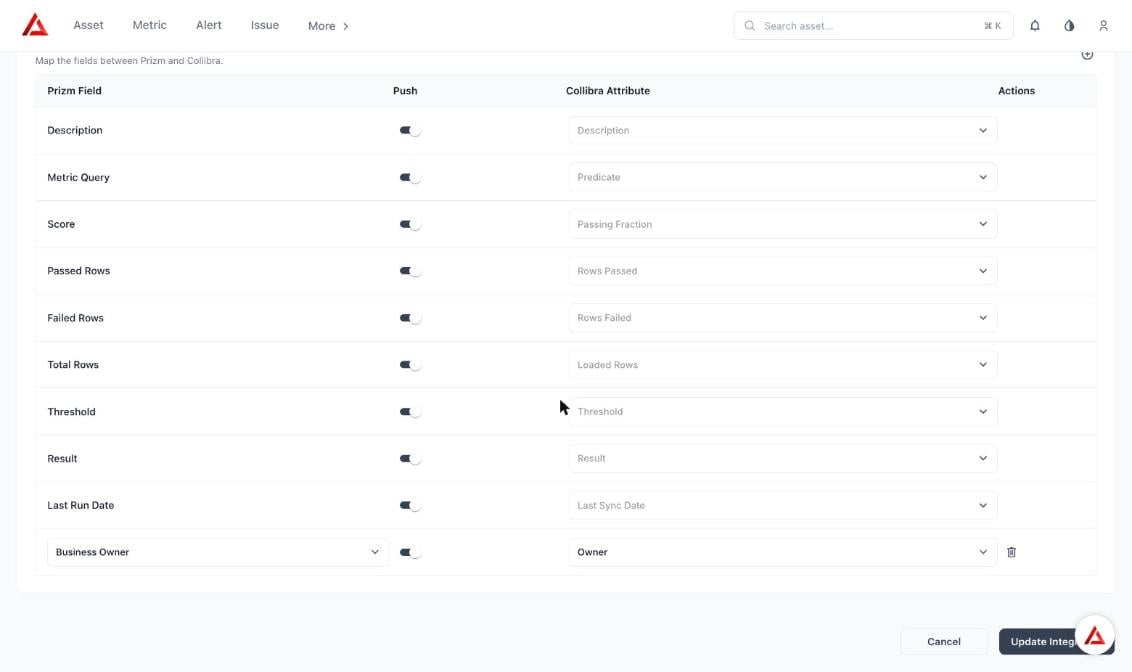
Collibra field mapping
Atlan Private
Push summary, alerts, issues, and measures for assets, attributes, domains, and products to Atlan, and pull domains, tags, products, and terms. Custom metadata fields are created automatically.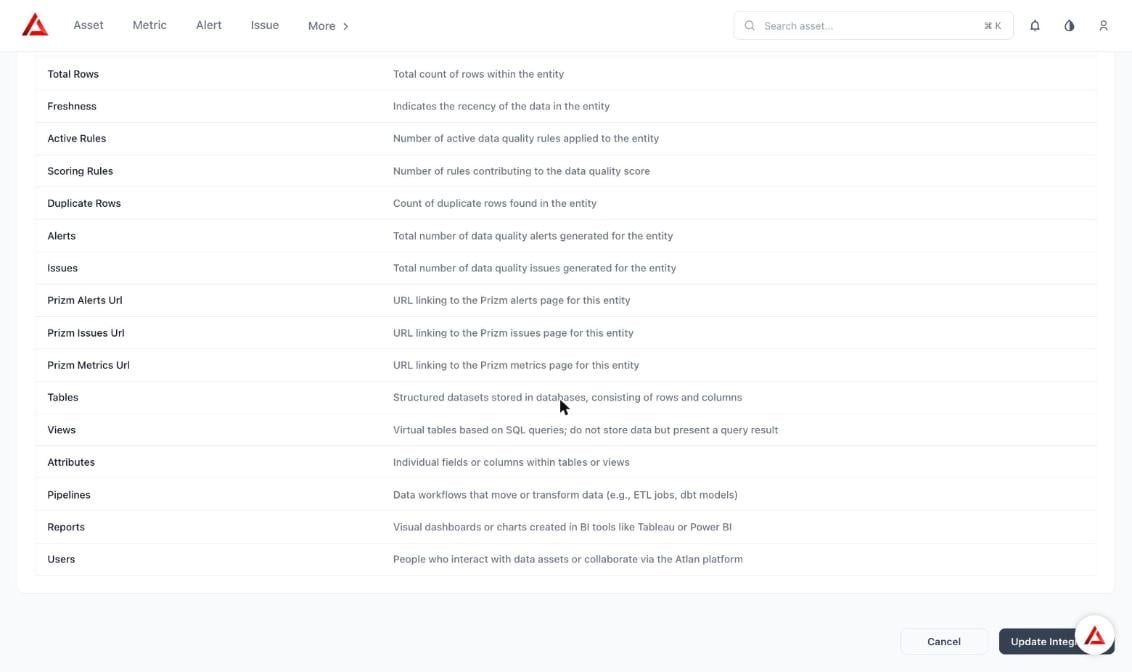
Custom metadata fields created in Atlan
Platform
Global asset search
Search from any page by words in any order, with partial and single-word matching and a “Did you mean” suggestion for misspelled words. Results show type, location, and mapped domain, including propagated domains.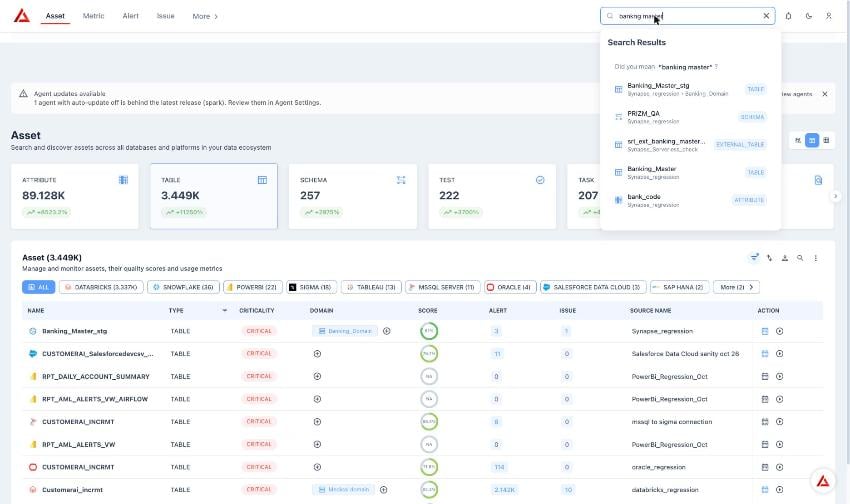
Global search
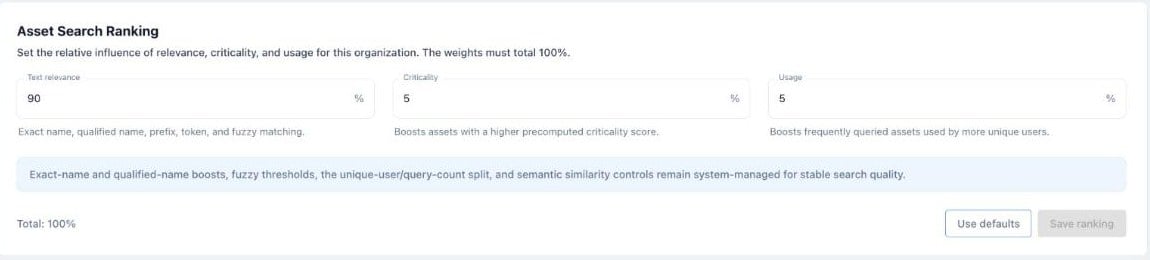
Asset Search Ranking
Versioning with approval controls
Track drafts and verified versions for assets, metrics, and semantic entities, with Major and Minor change rules. Turn it on in Organization → Platform → Properties → Versioning, then open the Draft button on an asset or metric to review tracked changes.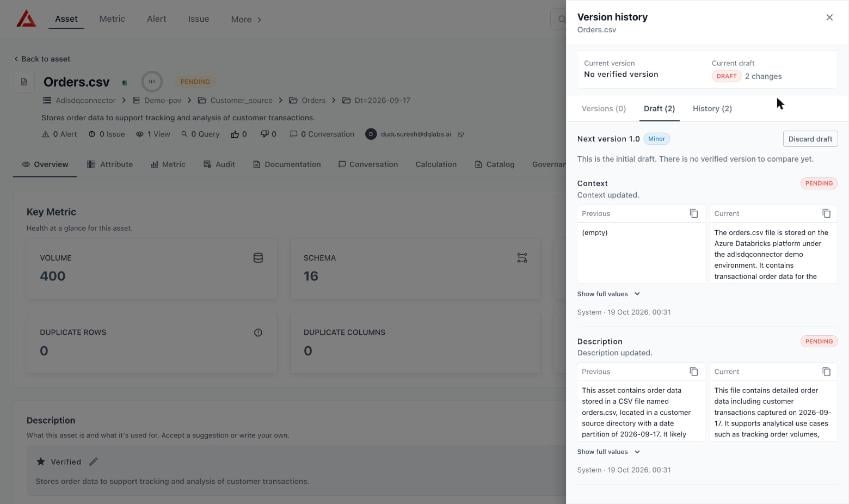
Version history
Metadata propagation
Choose which owners (Steward, Business, Technical) and semantic context (Domain, Product, Application, Tag) propagate to assets, metrics, alerts, and issues, and whether each entity can override them locally. Configure it in Organization → Platform → Properties → Propagation. Semantics: propagationMetric score distribution by segment
Turn on Enable segment in a metric’s Segment distribution section to calculate Overall, Unassigned, and per-value scores using one business attribute mapped on the table. The Quality dashboard then shows DQ score distribution by segment and offers a Segment filter, including for custom metric queries with CTEs and column aliases.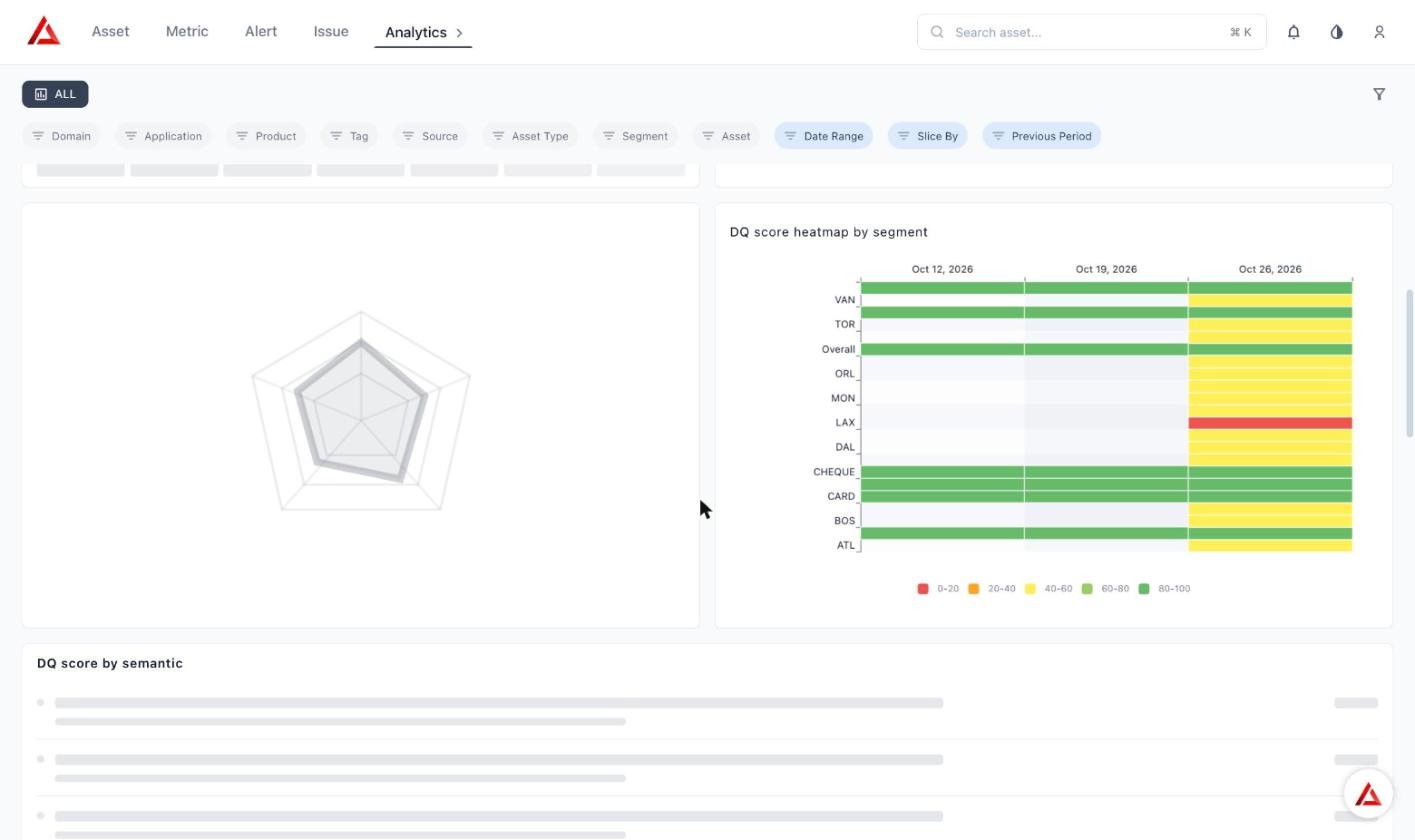
DQ score heatmap by segment
Exception escalation and report templates
Escalate exception records through a member reporting hierarchy, show roles under display names on the Owners panel, filter the Exception dashboard by member, and choose an Exception, Distribution, or Comparison type when you build an exception report.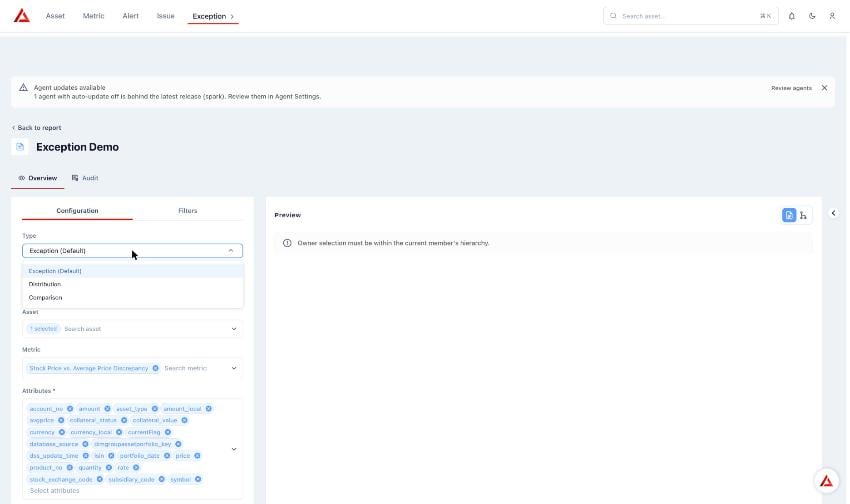
Exception report types
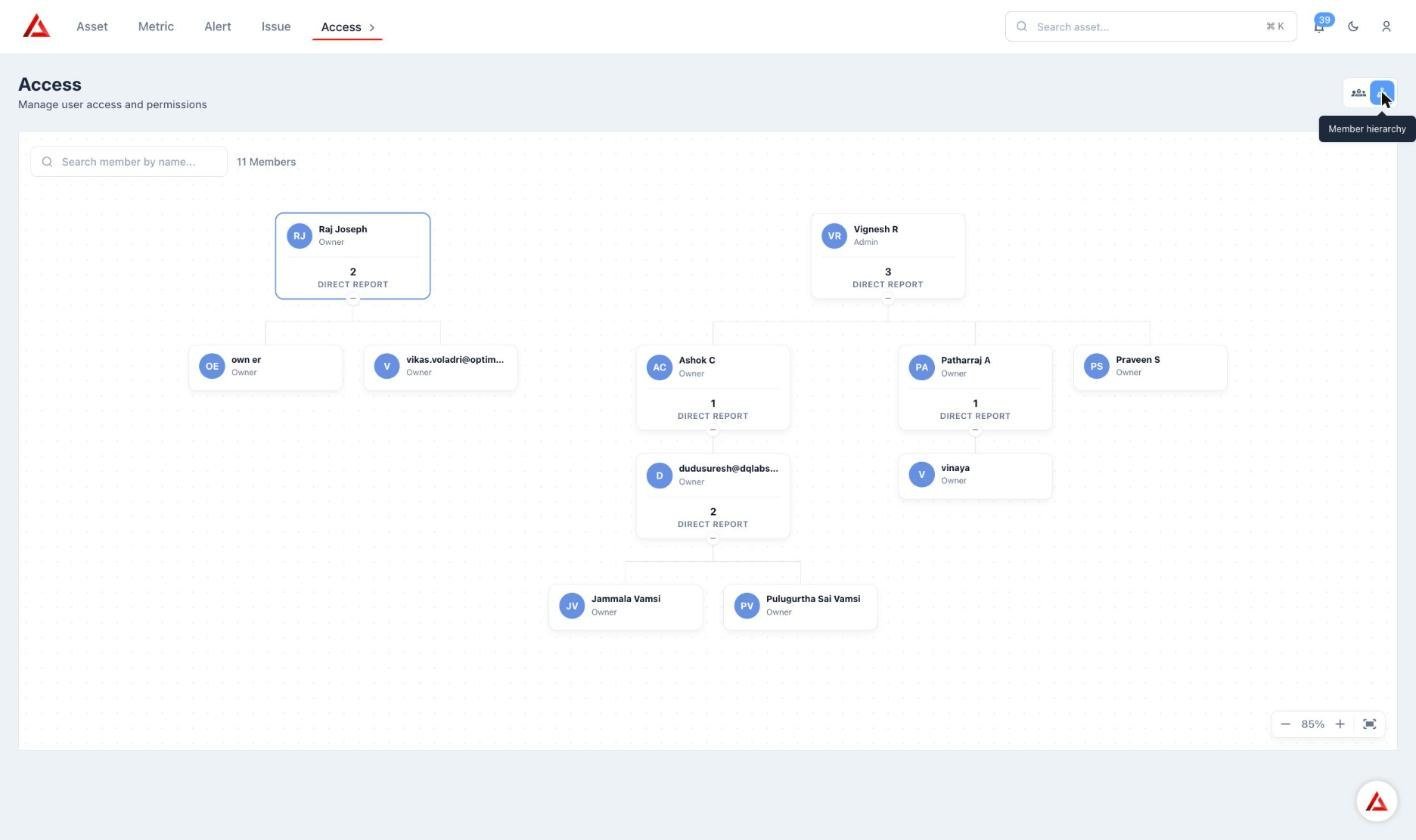
Member hierarchy
AI issue summary and recommended actions
Issues now show an AI summary and recommended actions, with audit log entries for actions taken.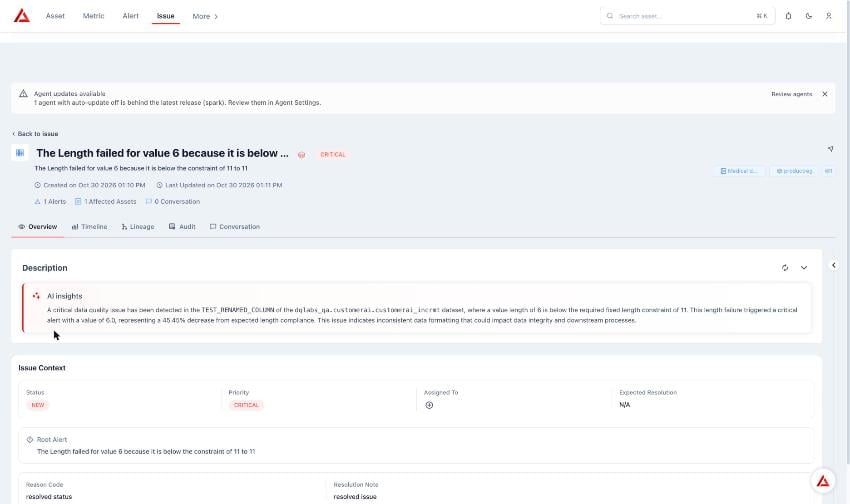
AI insights on an issue
Claude publishing through MCP
Authorized Claude clients can publish to Prizm through MCP with OAuth. MCP access tokens · Converse MCPUsability improvements
- Custom fields in the Overview tab: choose which custom field groups appear for assets, metrics, and semantics
- Group views: use Group by in the Metric table menu to group metrics by Applications, Domains, Products, Tags, or Terms. Counts match their chips, each section has column filters, and downloads follow the group selection
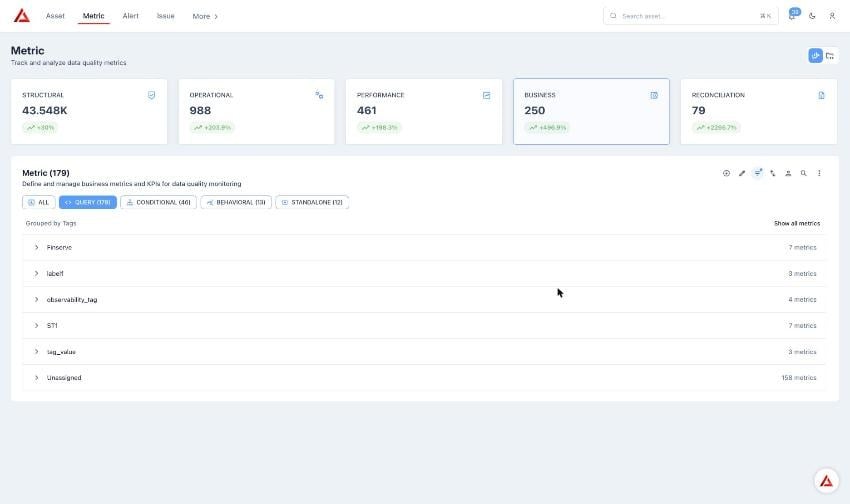
Metrics grouped by tags
- Helper text: tooltips and descriptions on the application, governance, and metric overview pages, and descriptions on list entries