
Overview
The Application Audit Log is the organization-wide, system-level audit trail. Unlike the asset-level Audit tab, which only shows business-readable events for one specific asset, this log captures every request and background action across the entire platform — API calls, AI actions, and scheduled job executions.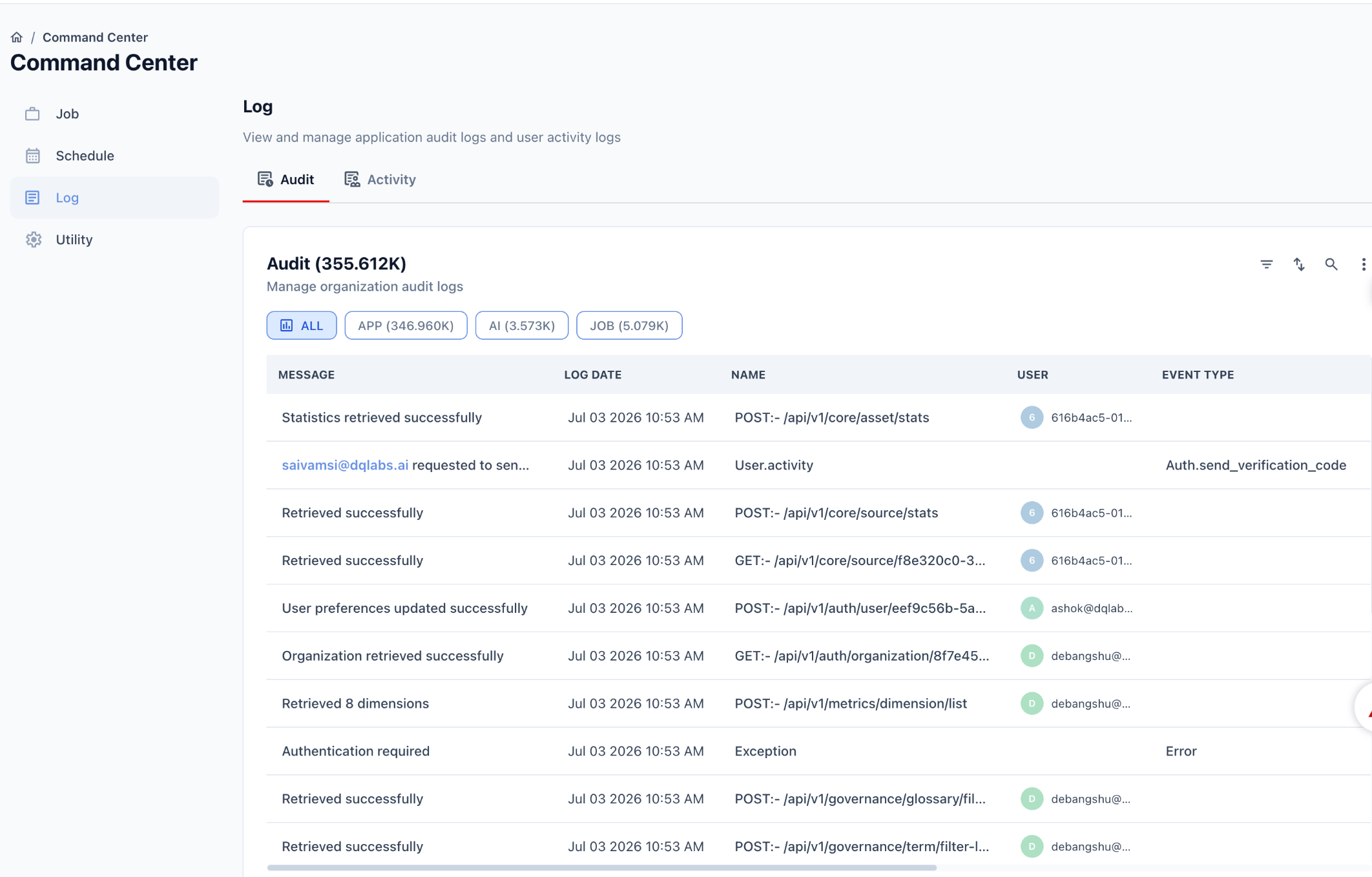
This is one of three related surfaces. See the Audit & Activity Logging Overview for how it relates to the asset-level Audit tab and the Activity Log.
Navigating there
From the left-hand navigation:Audit panel
The panel header shows the total number of recorded events across the organization, e.g.Audit (355.612K).
Filters
Events are categorized into three types, each with its own count shown on the filter button:Table columns
Example entries
POST:- /api/v1/core/asset/stats→ “Statistics retrieved successfully” — a routine API callUser.activitywith Event TypeAuth.send_verification_code→ a user requested a verification codeExceptionwith Event TypeError→ “Authentication required”, an auth failurePOST:- /api/v1/metrics/dimension/list→ “Retrieved 8 dimensions” — a metrics query
Common use cases
- Debugging — trace an API error (e.g.
Exception/Errorentries) back to the exact request, timestamp, and user - Security review — audit authentication events like verification code requests or failed logins
- AI oversight — review what actions an AI/copilot feature took using the
AIfilter - Job monitoring — confirm scheduled or triggered jobs ran, using the
JOBfilter
How this differs from the asset-level Audit tab
Related pages
Logging Overview
See how this fits with the other two logging surfaces
Activity Log
See session-level rollups of this same activity
Asset Audit
See a curated, business-readable audit trail for a single asset